Regions
Conan Exiles Enhanced combines both Exiled Lands and Isle Of Siptah into a single map, split into regions. This system can be used by modders to add new regions onto this map, or create their own maps with multiple regions.
Enum Setup
The first step in making your own region involves adding it to the ERegion enum. This is done with StringEnumDataTableDataprovider or StringEnumFixedListDataprovider. If unfamiliar with string enums, please see string enum documentation.
Data Table Setup
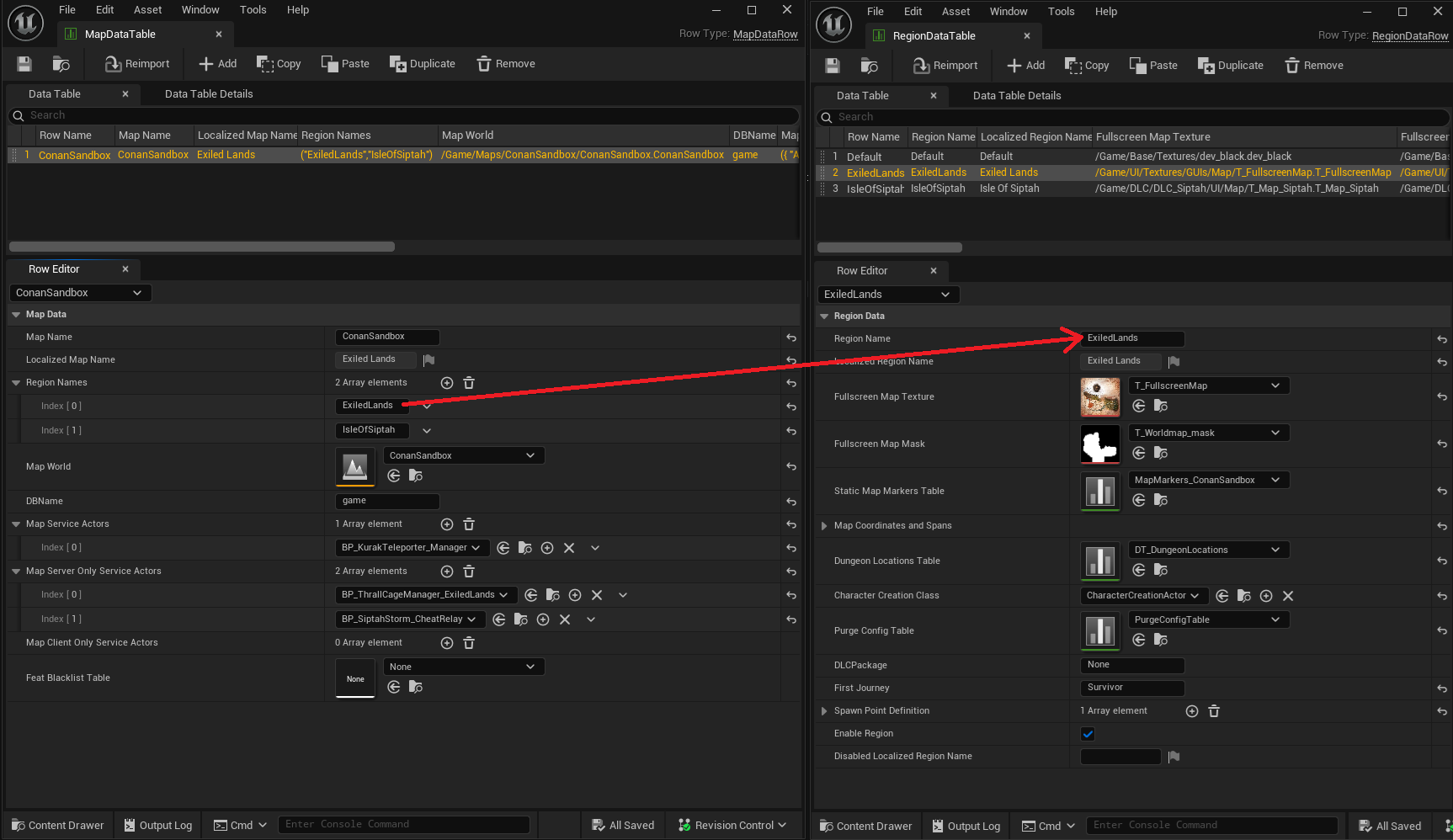
The MapDataTable holds all the information about a map, including its regions, which are defined in the RegionDataTable. Regions are matched via the Region Name field:
The
Defaultrow in theRegionDataTableis to define behaviour for when the player is not in any region.
Note that the Region Name needs to match the name of your new region enum, set up in a previous step. The rowname is not important.
The RegionDataTable contains region-specific data that used to be apart of an overall map. This includes the UI map textures, static map markers, spawn locations, dungeon locations, character creation blueprint (for creating a character starting in either region), purge table, and first given journey.
To add your new region, a new row must be added to the RegionDataTable and have Region Names in MapDataTable link to it via Region Name. For documentation on how to merge data tables with the mod controller, see Modcontroller basics documentation.
Defining a Region’s Volume
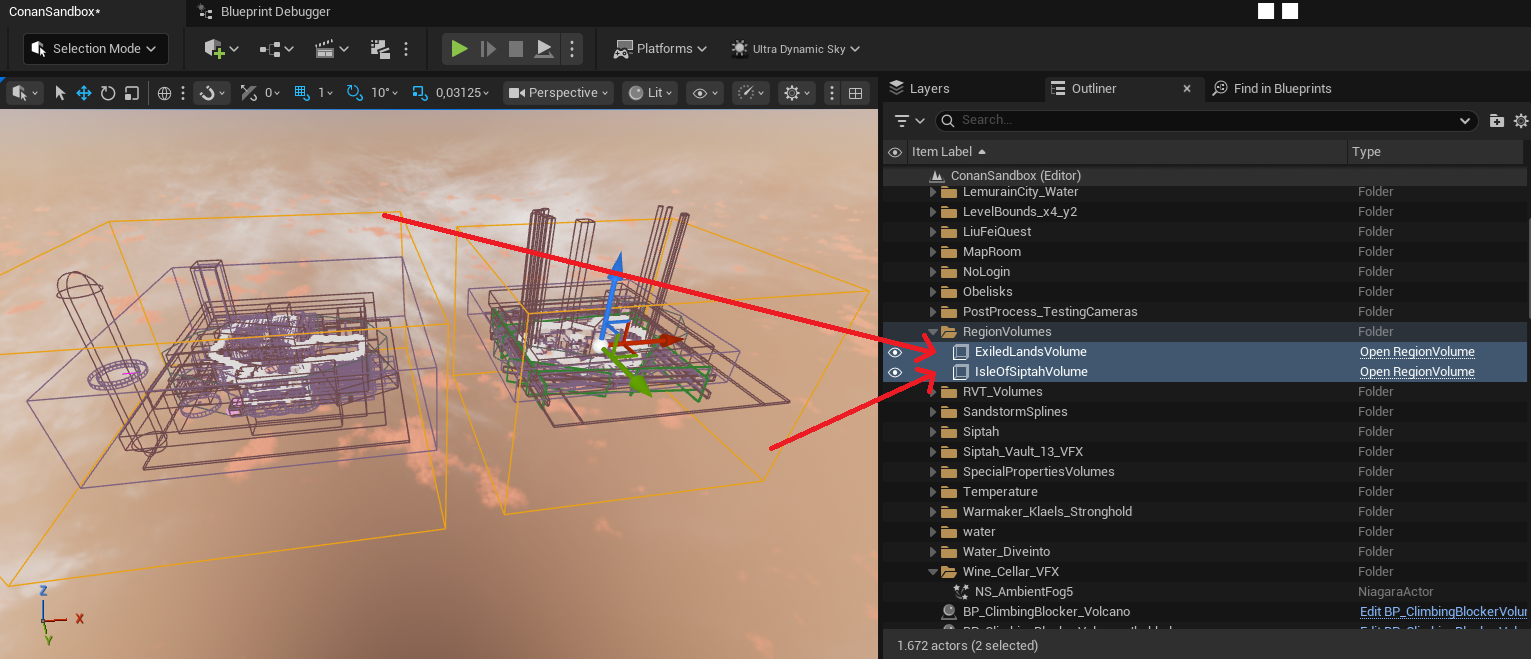
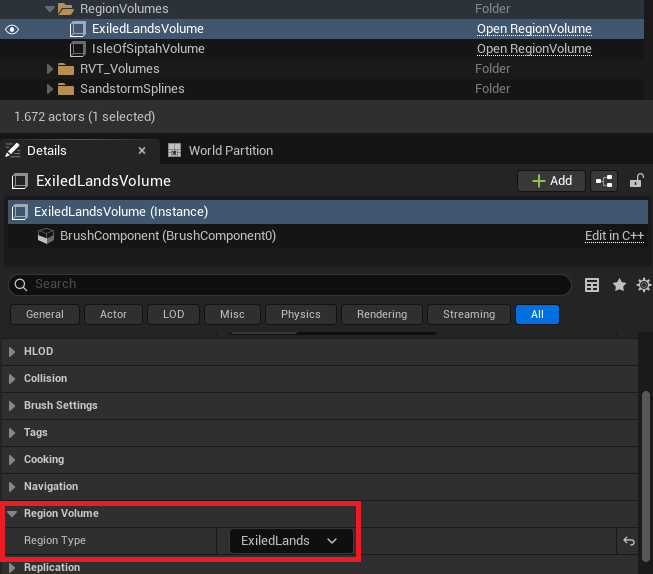
The bounds for a region are defined by a RegionVolume that exists in the persisted level, that references the region it applies to via Region Type:
Support for adding region volumes within injected sublevels coming soon
Disabling Regions
Server owners have a lever for disabling your modded region, which will prevent all sublevels within your region from being loaded on dedicated server. This also filters out spawnpoints available to players if they’re for a disabled region.